

Cango logo
Cango logo
Menu
Smartphone displaying a colorful casino game with orange neon glow on dark surface, blurred night city bokeh background

Cango App: playing from your phone explained

Updated: 10 November 2026

Playing pokies on the go in New Zealand does not require hunting through app stores or freeing up gigabytes of phone storage. The Cango app works as a Progressive Web App, meaning you add it straight from your mobile browser to your home screen in under a minute. Because there is no NZD in the cashier, all amounts on your phone show in AUD or EUR, starting with the $15 AUD minimum deposit. Everything from the 3,000+ games (according to the casino) to the live chat and cashier runs inside a clean mobile window.

Cango casino app: the install overview

Kiwi players often ask whether they need a specific phone model to run the Cango casino app smoothly. The short answer is no, because the platform relies on modern browser technology rather than heavy native software. When you set up the shortcut on an iPhone, iPad, or Android handset, you get a dedicated icon that launches the lobby in full-screen mode without the browser address bar getting in the way. Lobby categories like Top, Bonus Buy, Hot RTP and Coins load quickly over standard 4G or 5G mobile data.

DeviceInstallation StepsRequirements
iPhone (iOS)Open Safari, tap Share, select Add to Home ScreenA recent iOS version, Safari browser, active internet
Android PhoneOpen Chrome, tap the three-dot menu, select Install appUp-to-date Chrome, stable connection
iPad (iPadOS)Scan the QR code on the site or use the Safari Share menuCamera for the QR scan or Safari browser
Android TabletOpen the Chrome menu, tap Add to Home screen, confirm the nameStandard Android tablet, Chrome browser
Mobile BrowserLog in directly without adding the home screen iconAny modern mobile browser, no extra setup

Once the icon sits on your phone, you have the same features as on a desktop computer. You can register using the single sign-up form, pick New Zealand as your country, and choose AUD or EUR as your permanent currency. On a first deposit of at least $45 AUD, type the promo code WP1 into the promo field to claim the 150% welcome bonus up to $1,500 AUD plus 300 free spins. Those spins arrive in batches of 100 per day over three days on Bonanza Billion, Thunder Coins XXL, and 3 Super Hot Chillies, all of which run fine in portrait mode on a phone.
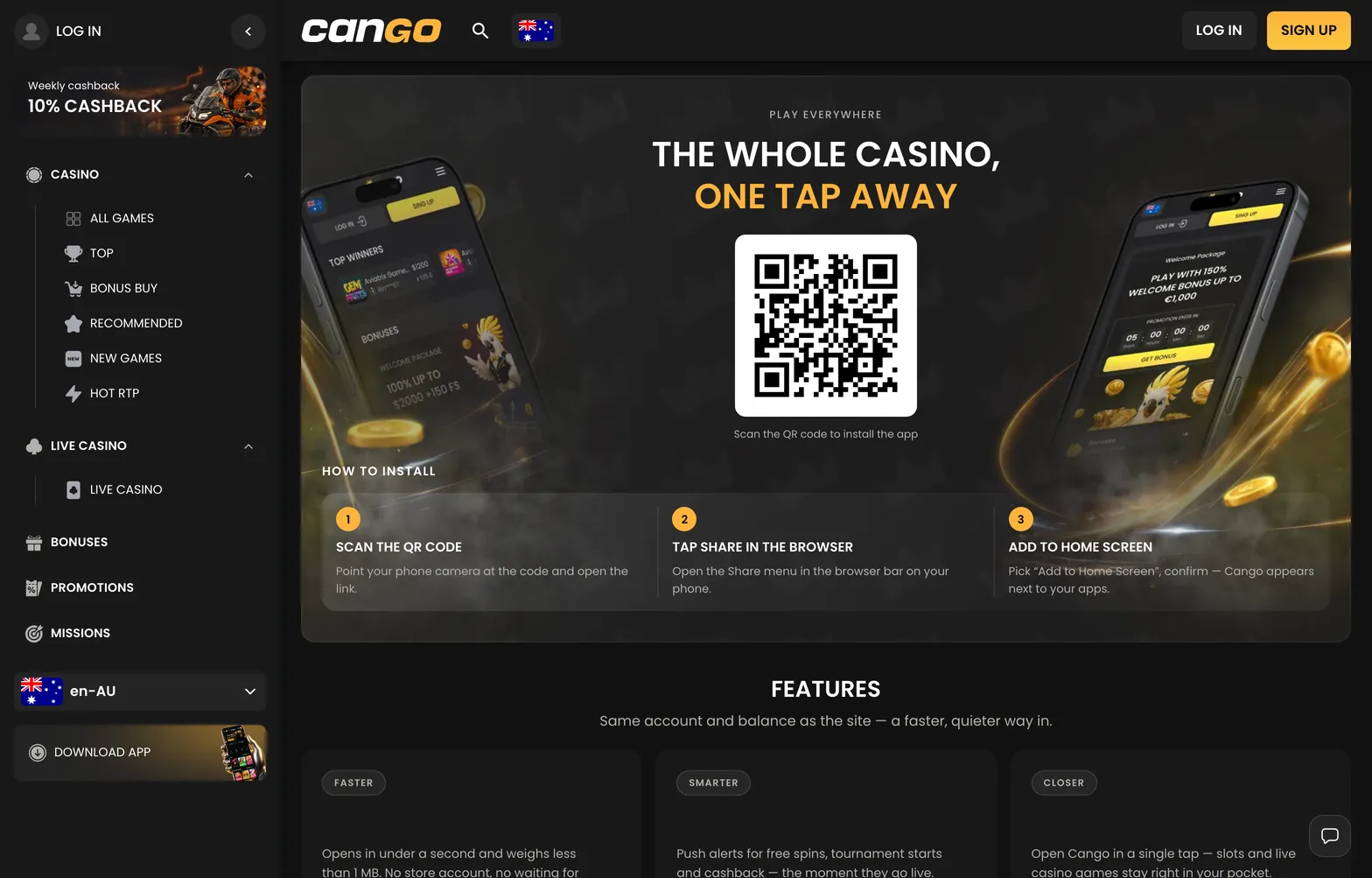
Cango mobile app install page with a QR code to add the casino to your home screen

The Cango install page shows the QR code and the Add to Home Screen steps; scan it from a laptop and the phone opens the mobile lobby straight away.

Cango app: Safari install steps

Apple users in New Zealand sometimes get confused when they search the App Store and find nothing. To get the Cango app onto an iPhone or iPad, you skip Apple’s store and use the built-in Safari browser instead. Safari matters here, as other browsers on iOS do not always show the home screen shortcut option. If you have the casino open on a laptop first, you can also point your iPhone camera at the QR code on the application page to jump straight to the mobile version.

  1. Open the Safari browser on your iPhone and load the main casino lobby.
  2. Tap the Share button at the bottom centre of your screen, which looks like a square with an upward-pointing arrow.
  3. Scroll down the list of actions until you see Add to Home Screen, then tap it.
  4. Check the shortcut name (it defaults to Cango), tap Add in the top right corner, and the icon appears alongside your other apps.

After you tap the new icon, the interface opens like a standalone application. You can sign in with your email and password of 8 or more characters, or tap the Google sign-in button for quicker access. The casino enforces a strict one-account rule per person, household, and device, and VPN apps must be switched off before you log in from your phone. If you want to test how a pokie feels on the smaller screen before spending real balance, tap the Play demo button on titles like Elvis Frog TRUEWAYS or Sun of Egypt 3.

Cango mobile: Android install

Android phones handle web applications even more naturally than iPhones, because Google Chrome treats the shortcut as a lightweight installed app. When you set up Cango mobile on a Samsung, Pixel, or Oppo handset, Chrome wraps the casino lobby so missions and cashier pop-ups behave much like a standard Android program.

If you run into a snag during installation, or while verifying your phone number for the two-step VIP Club entry, you can reach Cango support through the 24/7 live chat widget pinned to the bottom corner of the mobile screen.

  1. Launch the Google Chrome browser on your Android phone or tablet and go to the casino homepage.
  2. Tap the three vertical dots in the top right corner of Chrome to open the browser menu.
  3. Look for the line that says Install app or Add to Home screen and tap it.
  4. Confirm the prompt in the centre of your screen, and wait a few seconds for Android to place the icon on your main screen.

Making deposits and requesting a cashout on Android takes only a few taps inside the mobile cashier. You can top up from $15 AUD using Visa, Mastercard, alternative cashier methods, or crypto such as BTC, ETH, USDT, and LTC (usually from around $20 AUD equivalent). POLi is not in the list of cashier methods for Kiwi players. When you are ready to withdraw at least $30 AUD via Visa OCT, Mastercard Payment Transfer, or a crypto wallet, your phone camera makes the Sumsub check easy: photograph your passport or national ID card, snap a proof of address under 90 days old, and take the required selfie right from your handset.

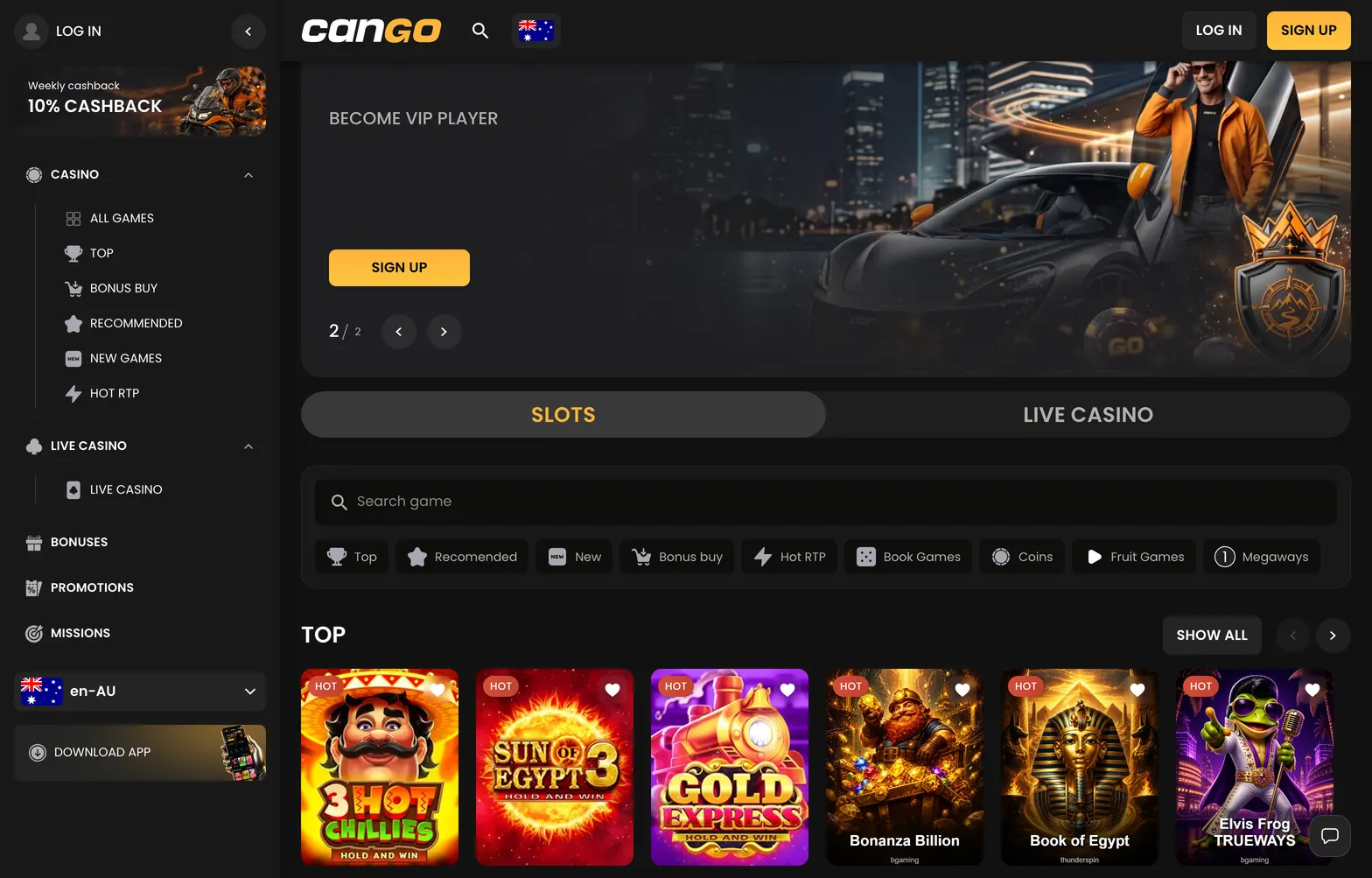
Cango casino home page with VIP banner, Slots and Live Casino tabs and Top pokies

The Cango home page looks the same in the PWA as on desktop: the welcome banner, the lobby tabs and the cashier are all one tap away.

Cango download: no App Store, no Google Play

New players often ask why there is no Cango download file in the Google Play Store or Apple App Store. The reason comes down to how the brand builds its mobile lobby. Instead of maintaining two separate native applications that need store approvals and regular large updates, it uses a single Progressive Web App. That also means you never risk installing a fake copycat app from store search results, so do not look for Cango in the stores at all.

Because the PWA runs off live web code, every update happens automatically in the background the moment you tap your home screen icon. When BGaming (which supplies 277 games here) or Thunderspin (60 games) releases a fresh pokie into the New or Megaways category, it appears on your phone at the same moment it goes live on desktop. You also save almost all of your device storage, as the shortcut only caches small graphics and login data rather than storing pokie files locally.

Everything inside your account syncs across devices in real time. You might activate the Sunday Weekend Reload of 50% up to $150 AUD on your computer at home, play a few spins at the maximum bonus bet of around $7.50 AUD, and then pick up your phone on the couch to finish the x30 wagering within the usual 7-day window. Your missions, your 10% weekly Monday cashback, and your responsible gambling tools like deposit limits or time-outs stay identical whichever screen you use.

Cango casino app: what players ask most

  • Can I download the Cango app from the App Store or Google Play?

    No, the Cango app is not available in the App Store or Google Play for Kiwi players. Instead, you install the progressive web app directly from your mobile browser. On an iPhone, open the site in Safari, tap Share, and select Add to Home Screen, or tap Install app in the menu on Android.

  • How much phone storage does the Cango casino app take up?

    Because Cango mobile runs as a progressive web app rather than a heavy native file, it uses almost no storage space on your device. It simply places a lightweight shortcut icon on your home screen. All 3,000+ pokies and live dealer tables load directly from the cloud as you play.

  • How do I update the Cango app on my phone?

    You never need to manually download updates for the Cango app. Since the shortcut connects straight to the live mobile platform, any new BGaming or Thunderspin pokies and cashier features load automatically every time you open it. You will always see the latest version as soon as you sign in.

  • Does the Cango mobile app send push notifications?

    Browser-based web apps depend on your mobile browser settings for alerts, so you can easily block or allow prompts in Safari or Chrome. If you prefer not to get pings on your phone, you can check your daily missions and Sunday reload offers manually after logging in. Support is also reachable 24/7 via live chat inside the app with replies in about 2 minutes.

  • Do I get the same bonuses on the Cango app as on desktop?

    Yes, Kiwi players get the exact same promotions on mobile, including the first deposit bonus of 150% up to $1,500 AUD plus 300 free spins with promo code WP1 for a minimum deposit of $45 AUD. You can also claim the 10% weekly cashback every Monday and the 50% Sunday reload up to $150 AUD right from your phone.